The Desk · by NDAI · Minot, North Dakota
Your org chart just grew. Your payroll didn’t.
The Desk is your digital staff: coworkers with names and jobs who take the inbox, the follow-ups, the quotes and the books, working right alongside your people. It runs on a computer dedicated to your business at our facility in Minot, kept running by the people who build it.
The real thing · Recorded on The Desk
Hello to a working staff in under three minutes.
A real first meeting, recorded on The Desk and sped up. The owner is a stand-in for a fictional pool and spa shop, and the inbox is a demo mailbox. Chester and the staff he hires are real model turns, doing real work.
The Desk for Mac and for iPhone, as they ship. One fictional business, Prairie Pools, with a demo mailbox.
01 — Where it lives
We give your digital staff a home.
A computer dedicated to your business, kept under our care at NDAI HQ in Minot. It serves no one else. Your staff lives on it, and you and your team reach them from the computers and phones you already have.
- Yours aloneOne machine for one business, and it serves no one else. Your records never share a computer with anyone else's.
- Under our careKept updated, backed up and running by the people who build The Desk.
- Nothing to babysitNo hardware for you to buy, store or fix. When it's time, we replace it.
Your staff has a home. You have people to call.
02 — Your digital staff
Truly your staff. Not a chat box.
You don't need to know what to type. Your chief of staff interviews you the way a new hire would, then hires people with names, jobs and faces. They read the inbox, calendar and texts you let them, they show every step, and they report in one room you can read in a minute.
- Chester ★Chief of staff
Writing tonight's daily page
- RosaInbox
Reading 41 new messages
- LeifHot tub leads
Drafting replies to four new leads
- WesBooks
Totalling September receipts
Hire
Hire in a sentence.
Tell your chief of staff what's slipping. They propose a hire on a card: name, job, first task. Rename anyone, change the job, then hire. New staff start right away.
Receipts
Every post shows its steps.
Read 46 messages. Left 8 drafts. Flagged one missing invoice. Each report lists what was actually done, so you can check the work in seconds.
Daily page
A page, morning and evening.
What changed, what needs you, and one suggested move, from your chief of staff, on a schedule you set.
Sign-ins
Work in the software you already use.
Sign in to your business software inside The Desk, then choose who may look and who may act. Your password goes only to that website.
03 — Your team, plus your staff
Your people and your new staff, in the same room.
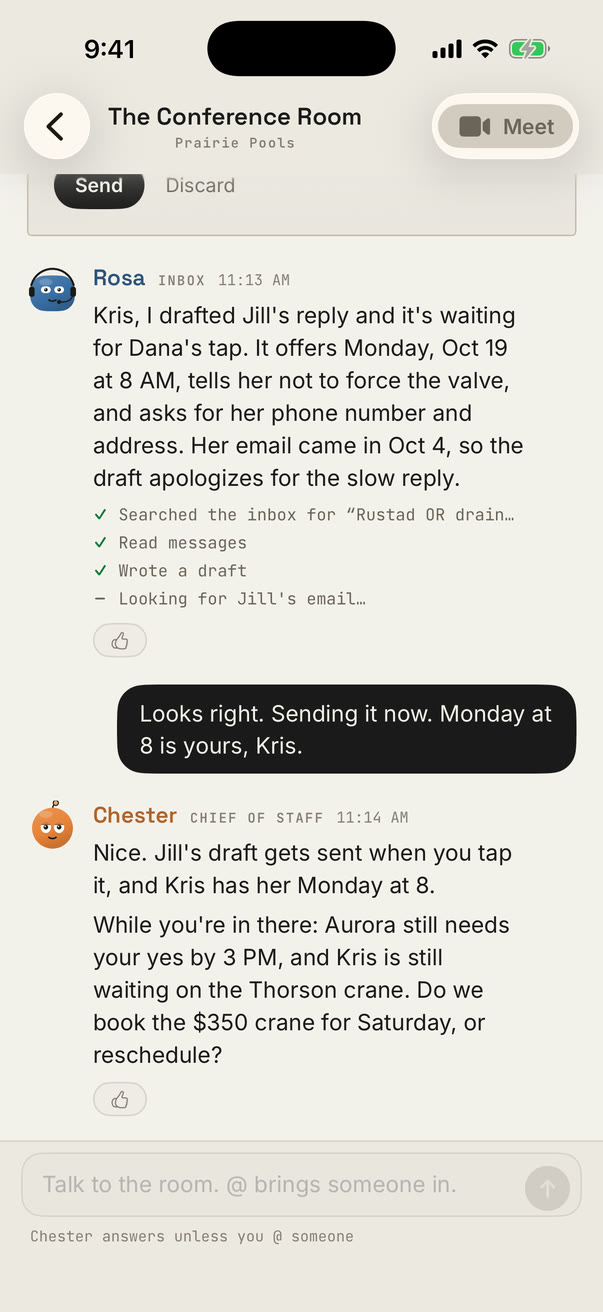
The Desk isn't a side app for the owner. Invite your team and everyone works alongside the staff: mention anyone with @, start a room for a project with just the people and staff it needs, or call the room when talking is faster. The busywork goes to the Desk. The decisions stay with people.
04 — From your computer or your phone
It lives in Minot. You run it from anywhere.
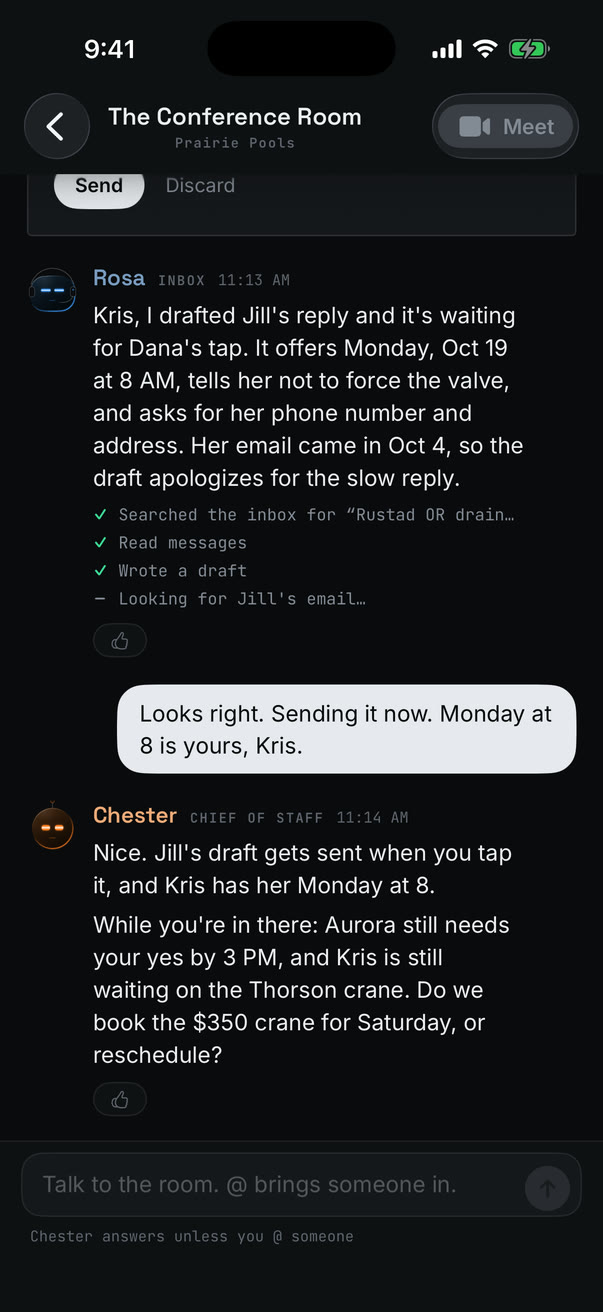
Every line, at a glance
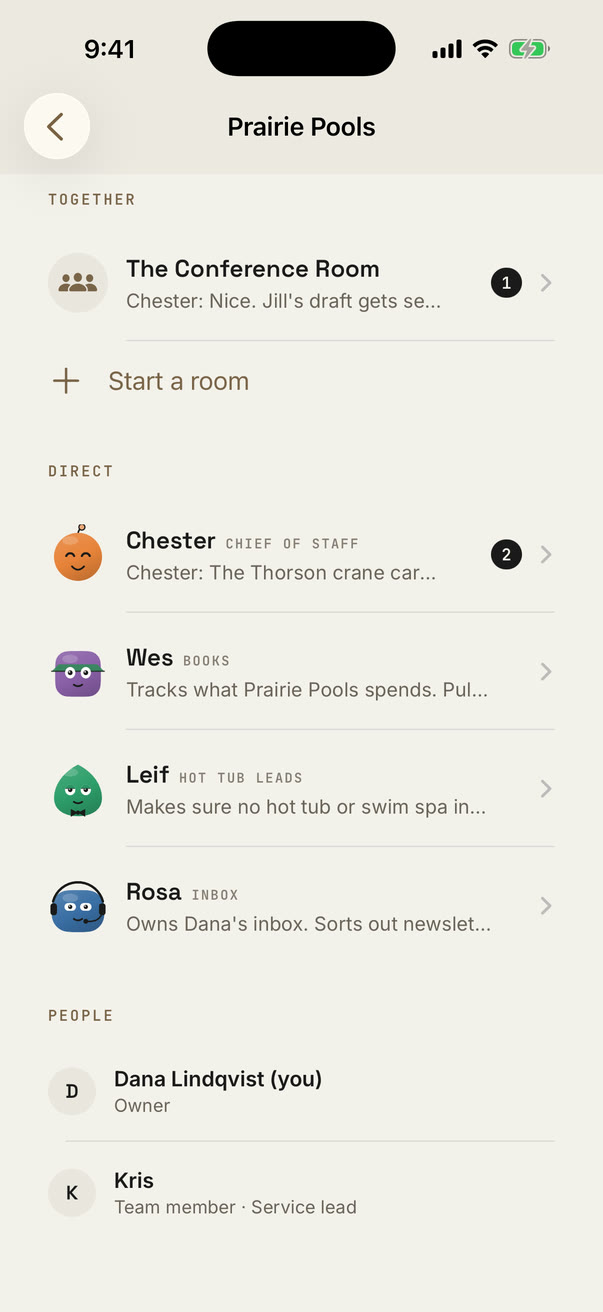
Who's working, and who's waiting on you.
Each staff member shows what they're doing right now, with your team listed beside them. Unread counts tell you where to look first.
Drafts
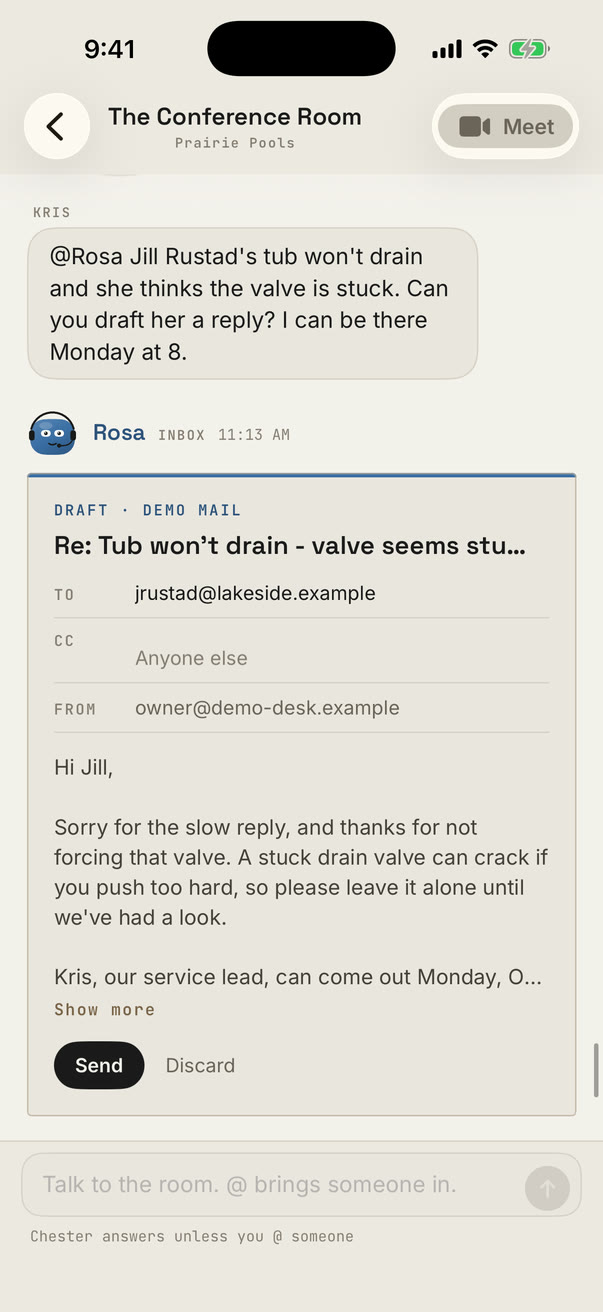
Approve from the parking lot.
Rosa's reply to a customer waits as a draft with the To, Subject and body filled in. Nothing sends until you press Send.
Decisions
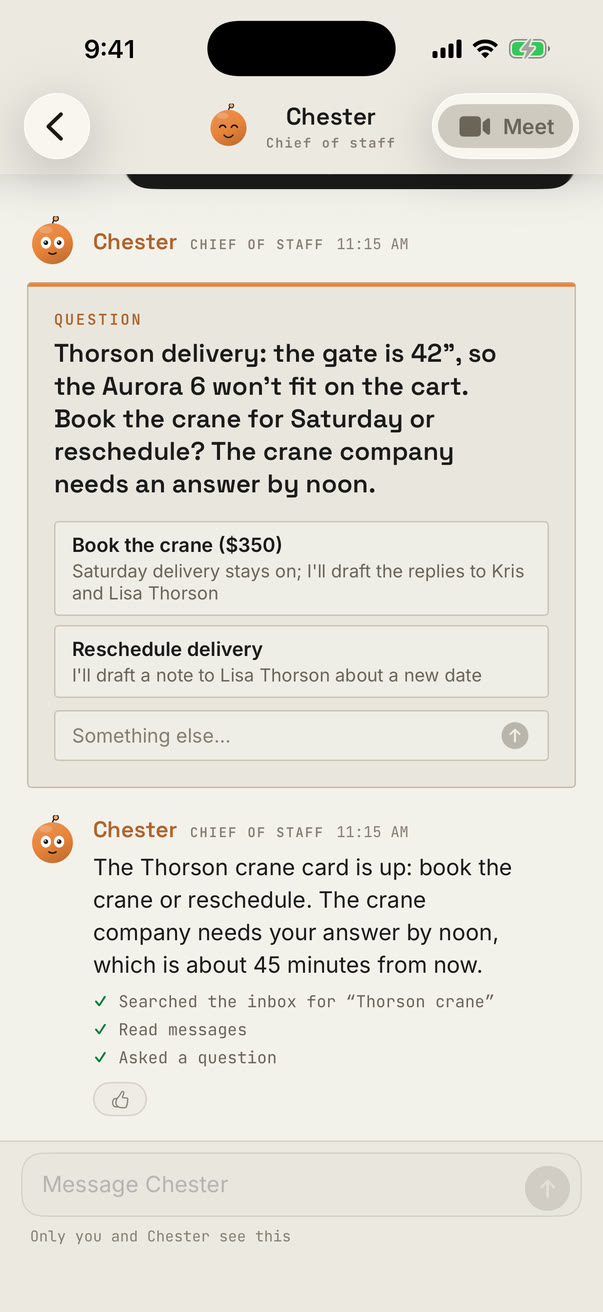
Questions arrive as cards.
Book the crane, or reschedule? Your chief of staff lays out the choices. Tap one and the staff carry it through.
Paper and Umbra
Paper by day. Umbra by night.
Talk to your chief of staff out loud from your phone, or type. Same Desk on your Mac and your iPad.
05 — Installed by us
We install it. You meet your staff.
There is no setup project on your side and nothing to learn first. We do the installing at NDAI and stay on it after.
- 01
A conversation
Thirty minutes with Andrew about your business and what's eating your week. You'll hear what a Desk would take on, and what it wouldn't.
- 02
Commissioning
We set up your NDAI appliance at our facility in Minot and install The Desk on it, with your business's name on the door.
- 03
Your first meeting
Sit down with your chief of staff and sign in to your mail on Google's or Microsoft's own page. Your first hires start before the meeting ends, and we put The Desk on your team's computers and phones.
- 04
We keep it running
Updates, hourly health checks and repairs happen at NDAI. A person who knows your business is one call away.
06 — You stay in charge
Powers you hand out, one person at a time.
- Staff draft. You send. No staff member can send an email or a text, and every change they make to your mail has an Undo.
- Look only, or act. Web research, computer tools and your business software are off for each person until you switch them on.
- No silent substitutes. If a chosen AI account goes away, that person stops and says so. The Desk never quietly runs another.
- One business per machine. An encrypted disk on a private network, never pooled with anyone else's records.
Your data is yours.
If you ever leave, all of it comes back to you on an encrypted drive within 14 days, with a contents list and the password sent separately. Then the machine is erased and a deletion certificate follows.
Common questions
Straight answers.
Why does my staff live at NDAI and not on my own computer?
So you don't have to look after it. Your staff gets a computer dedicated to your business that's on around the clock, serves no one else, and sits down the hall from the people who build The Desk. It's checked every hour, updated and backed up for you, and there's no hardware for you to buy or fix. You and your team still use it from your own computers and phones.
Do I need to understand AI?
No. Your chief of staff asks the questions. NDAI sets everything up with you in person.
Is this meant to replace my people?
No. Your people get a staff of their own. The busywork goes to the Desk; the decisions, the customers and the judgment stay with your team.
Can my staff send email on their own?
No. They write drafts; you or your team send them. Every mail change has an Undo, and you decide what each staff member may do.
Where does my data live?
On your NDAI appliance at our facility in Minot, dedicated to your business and serving no one else. The data on it is yours. Your mail stays in your mailbox. When a staff member asks an AI model for help, what they send goes to that model's provider.
Which AI does it use?
Claude, ChatGPT or Grok, chosen per staff member. If the model you chose isn't available, that person stops and tells you rather than switching.
What do I need?
A Mac, an iPhone or an iPad to open The Desk; a Windows version is in preview. The machine it runs on lives with us.
Interested?
Talk to the person who builds it.
No sales team and no demo spam. Tell Andrew what's eating your week, and he'll show you what a Desk would take on in your business, and what it wouldn't.
andrew@ndai.pro
Your machine would live at 316 5th Ave NE, Minot, North Dakota. Come and see it.

Andrew EmmelFounder, NDAI · Minot, ND